
Case Study: Real Estate Tech
MLS Integration for Automated Property Management
A growing real estate business needed a reliable and automated way to manage and display accurate property listings on its WordPress website. The challenge involved integrating multiple MLS systems to maintain current listings, automatically remove inactive properties, and display only client-owned listings.
By connecting Bridgedata MLS and GSMLS (RETS Server) with a special WordPress plugin, we created a flexible and automatic system that updated active residential and rental listings, agent information, and property photos instantly. Automated cron jobs ensured data accuracy, improved operational efficiency, and reduced manual listing management.


About the Client
The client is a real estate brokerage operating in MLS-driven markets, specializing in residential and rental property listings. With a strong online presence requirement, they needed a WordPress-based MLS integration solution that could handle multiple MLS providers while maintaining compliance, accuracy, and performance.
Business Challenges & Objectives
The client faced several challenges common in the real estate technology ecosystem:
- Managing property listings from multiple MLS providers
- Keeping listings updated without manual intervention
- Removing inactive or expired listings automatically
- Displaying accurate agent and property photo data
- Filtering listings to show only client-owned properties
- Ensuring MLS data compliance and performance
Primary Objectives
- Build a custom MLS integration for WordPress
- Automate listing import, updates, and removal
- Improve website reliability and user trust
- Enable scalability for future MLS integrations
Want the full access to the Case Study?
We just need a few details first and you’ll get unlimited access to all case studies.
Solution Overview: Custom MLS Integration for WordPress
To address these challenges, we designed and implemented a custom WordPress MLS integration architecture that securely connected to two MLS providers:
- Bridgedata MLS: Offers access to property listings, agent information, and related data for properties in specific regions.
- GSMLS via RETS protocol: A different MLS provider offering data access through the RETS (Real Estate Transaction Standard) protocol.
A custom plugin, bridge-mls-data, was developed to manage API communication, data processing, and automation within WordPress.
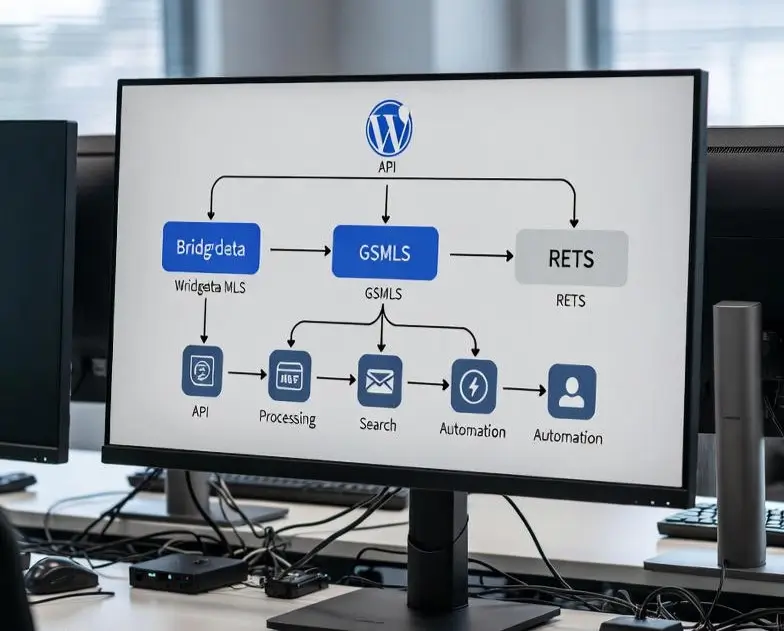
MLS Integration Architecture & Implementation
1. Bridgedata MLS Integration
Secure API Authentication:
- Client Secret | Server Token | Browser Token
This ensured secure and compliant access to MLS data.
Property Listing Retrieval:
- Active listings were fetched using custom API endpoints
- Listings filtered by Active status
- API requests capped at 200 properties per request to optimize performance
Agent Data Integration:
- Agent information was retrieved using agent-specific MLS IDs, ensuring that only relevant agent data appeared on the website.
Data Storage & Sync Control:
A custom database table, wp_bridge_keys,was created to:
- Store the timestamp of the last successful API call
- Prevent duplicate imports
- Fetch only new or updated listings during sync
Inactive Listing Management:
- An API endpoint was added to the system for removing inactive or expired properties from the website once they are no longer available in the MLS system.
Post-Deployment Enhancement:
- After launch, the client requested to exclude property listings from other agents and only display the properties owned by the client. This required updating the integration to filter out non-owned listings from the Bridgedata MLS data.
2. GSMLS (RETS Server) Integration
Credentials and Access:
- GSMLS provided access through the RETS protocol. The integration used the PHRETS library, a PHP wrapper for the RETS protocol, to query and retrieve property data.
- Login URL and credentials were configured in the system, including a User-Agent header for authentication.
Property Data Retrieval:
Two types of properties were integrated into the website:
- Residential (RES): Data for residential listings was fetched by specifying LISTDATE and ListingStatus filters.
- Rental (RNT): Similar to the residential properties, rental listings were queried with filters for active listings.
Search and Photo Retrieval:
- Agent search queries were executed to gather agent-specific data.
- Property photos were fetched using the GetObject method of the RETS server, saving each photo with a unique file name based on the listing ID.
Data Storage:
- Similar to Bridgedata MLS, GSMLS data was stored in the wp_bridge_keys table. Two separate variables tracked the last data import for Residential and Rental property types.
Handling Inactive Data:
- As with Bridgedata MLS, an API endpoint was created to remove inactive listings from the site. This ensures that listings that are no longer active in the MLS are removed automatically.
Automation & Cron Job Management
Property Import Cron Jobs:
The integration used cron jobs to automate the import of new listings at scheduled intervals. The cron jobs triggered API calls to fetch updated property data from both MLS systems
- bridgedata_import_update_properties: For pulling Bridgedata MLS property data
- gsmls_RES_data_import_cron: For importing residential properties from GSMLS
- gsmls_RNT_data_import_cron: For importing rental properties from GSMLS
Inactive Listing Cleanup Cron Jobs:
Additional cron jobs were set up to periodically check for and delete inactive properties
- bridgedata_inactive_property_delete: To remove expired properties from Bridgedata MLS.
- gsmls_RES_remove_inactive_data_cron: To clean up inactive residential listings from GSMLS.
- gsmls_RNT_remove_inactive_data_cron: To remove inactive rental listings from GSMLS.
Cron Management:
The cron jobs were managed through the WP Crontrol plugin, which allows easy configuration and management of scheduled tasks from the WordPress admin dashboard.
Filtering Non-Owned Listings
- Bridgedata MLS: The API queries were updated to check for ownership by the client. The filtering logic was adjusted so that only properties owned by the client would be returned by the API.
- GSMLS: Similar adjustments were made to the GSMLS integration, ensuring that only client-owned listings appeared on the site.
Key Results & Business Impact
Operational Efficiency:
- 75% reduction in manual listing updates through automated MLS data synchronization.
- 100% automation of inactive listing removal, eliminating outdated property data.
- 80% reduction in administrative workload, allowing teams to focus on sales and client engagement.
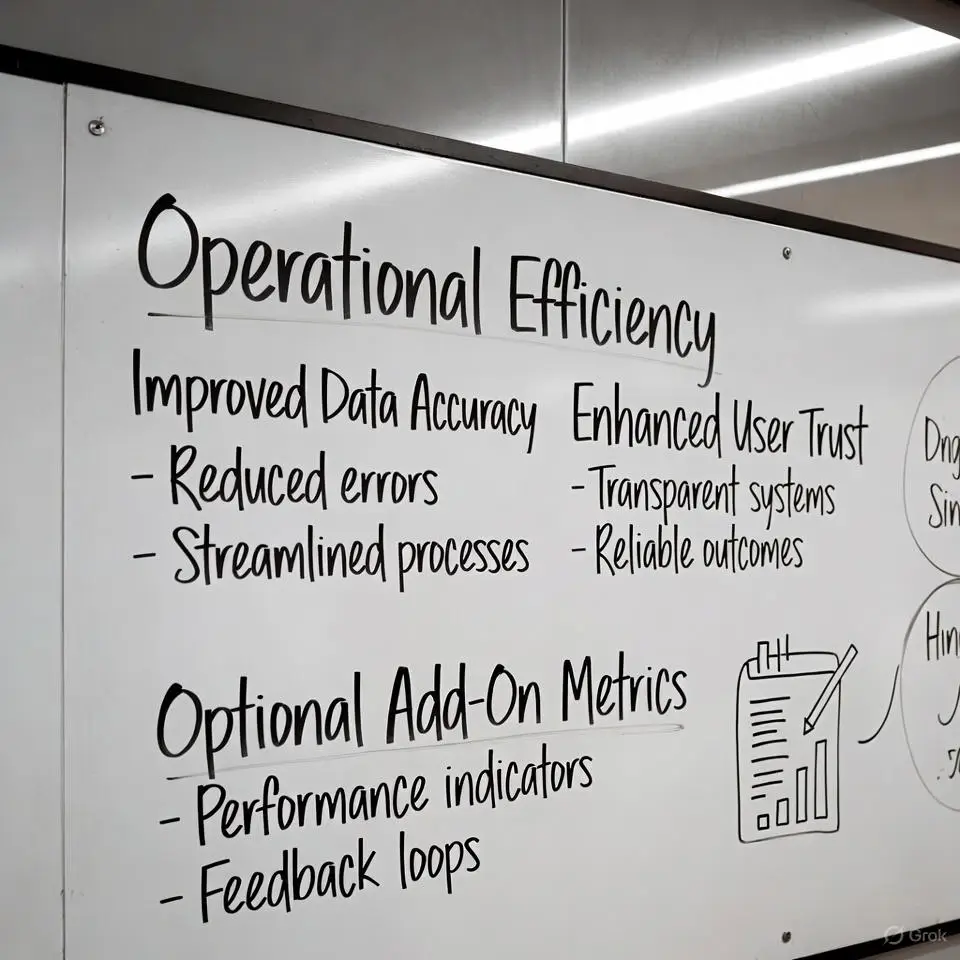

Improved Data Accuracy:
- 99% real-time listing accuracy with automated MLS synchronization
- 90% reduction in data inconsistencies across property and agent listings
- 60% decrease in user complaints related to outdated or unavailable listings
- 40% increase in property engagement due to accurate photos, pricing, and listing details

Conclusion
The MLS integration process involved securely connecting to two MLS APIs (Bridgedata MLS and GSMLS), retrieving and displaying property and agent data, and automating the synchronization of this data using cron jobs. The flexibility of the system allowed for post-deployment changes to filter out other agents’ listings and display only client-owned properties.
This case study demonstrates how integration of external data sources into a WordPress website can be streamlined and customized to meet the specific needs of the client, while also ensuring automation and efficient management of the data on an ongoing basis.