

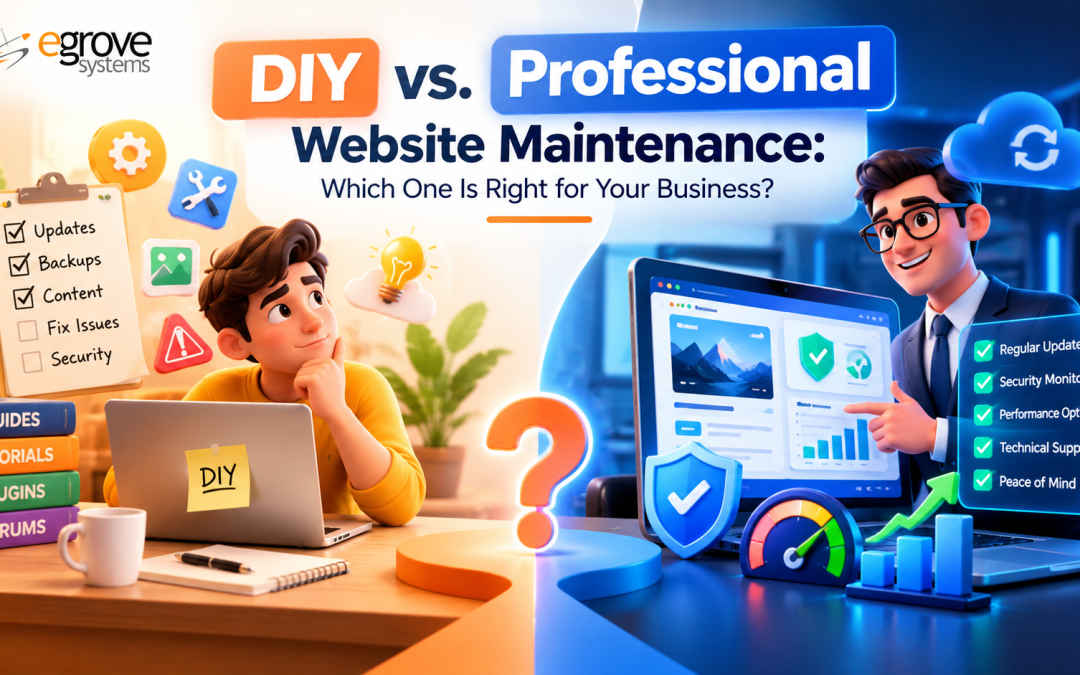
Your website is often the first place customers visit to learn about your business, explore your services, or make a purchase. But building a website is only the beginning. Keeping it secure, updated, and running smoothly requires ongoing attention.
From fixing broken links and updating content to monitoring security and improving loading speed, website maintenance plays an important role in maintaining a reliable online presence. For business owners, one common question follows: handle it yourself, or hire professionals?
DIY Website Maintenance gives you greater control and may reduce direct expenses, while professional website maintenance services provide technical expertise and ongoing support. The right choice depends on your website’s complexity, available resources, technical knowledge, and business goals. Let’s explore the differences to help you decide.
What Is Website Maintenance, and Why Does It Matter?
Website maintenance is the ongoing process of checking, updating, securing, and improving a website to keep it functioning properly. Professional Website Maintenance helps ensure a well-maintained website that allows visitors to navigate pages, access current information, and complete important actions without unnecessary problems.
Common website maintenance activities include:
- Software updates: Keeping content management systems, plugins, and themes current.
- Security monitoring: Identifying vulnerabilities, unusual activity, and potential threats.
- Website backups: Saving website files and databases to support recovery.
- Performance optimization: Improving loading speed and addressing technical issues.
- Content updates: Ensuring business information, services, and product details remain accurate.
- Broken link monitoring: Finding and fixing links that lead to missing or incorrect pages.
- Mobile responsiveness: Checking that pages function across different screen sizes.
- SEO maintenance: Reviewing technical issues that may affect search engine crawling and indexing.
Neglecting these activities can create frustrating user experiences, increase security risks, and lead to avoidable downtime. Regular maintenance helps businesses protect their website investment and deliver a more consistent online experience.
What Is DIY Website Maintenance?
DIY website maintenance means managing routine updates, technical checks, and content changes without a dedicated maintenance provider. Business owners or internal employees keep the website functional using available tools, platform dashboards, and online resources.
For example, a small business using WordPress may update plugins, publish new content, check website performance, and create backups independently.
Advantages of DIY Website Maintenance
-
Lower direct maintenance expenses. Businesses with simple websites can handle routine tasks without paying monthly maintenance fees. However, hosting, security tools, premium plugins, and other services may still involve costs.
-
Greater control over website changes. Whether you need to change business hours, publish a blog, or update product descriptions, you can handle these tasks without waiting for an external team.
-
Better understanding of your website. Regularly managing your website helps you learn its features, content structure, and technical requirements. This makes it easier to spot common issues and communicate with developers when professional help becomes necessary.
-
Flexibility for routine updates. DIY maintenance works well for businesses that frequently update text, images, or basic information. With user-friendly content management systems, many routine changes require little technical knowledge.
Challenges of DIY Website Maintenance
Although DIY maintenance offers flexibility, it also comes with responsibilities.
Limited technical expertise. Some problems require knowledge of coding, hosting configurations, databases, and cybersecurity. Without the necessary experience, troubleshooting can become difficult.
Time-consuming responsibilities. Diagnosing errors, testing updates, reviewing security warnings, and optimizing performance can take valuable time away from business operations.
Risk of technical errors. Incorrect plugin updates, configuration changes, or code modifications may cause features to stop working. Even a small mistake can affect forms, navigation, or other essential functions.
Inconsistent monitoring. When employees are busy with daily operations, website maintenance may become a lower priority. Delayed updates and overlooked errors can gradually create larger problems.
When Is DIY Website Maintenance a Good Choice?
DIY website maintenance may be suitable when:
- Your business operates a small informational website.
- The website has limited technical functionality.
- You have basic website management knowledge.
- Your website does not require frequent complex updates.
- Your business has a limited maintenance budget.
- You can dedicate time to regular checks and updates.
For example, a local service provider with a simple five-page website may find DIY maintenance manageable. However, as the website grows, its maintenance requirements may become more demanding.
What Is Professional Website Maintenance?
Professional website maintenance means hiring an experienced team, agency, or technical service provider to manage ongoing updates, monitoring, troubleshooting, and improvements. Instead of handling every technical responsibility internally, businesses rely on specialists to keep their websites running efficiently.
Depending on the service agreement, it may include software updates, security checks, backups, performance improvements, bug fixes, and technical support.
Advantages of Professional Website Maintenance
- Access to technical expertise. Providers have experience managing different platforms, configurations, and technical challenges. They can investigate errors and recommend solutions based on your website’s requirements.
- Improved security management. Website security requires more than installing a security plugin. Professional maintenance may involve vulnerability checks, security patching, access management, malware monitoring, and recovery planning. These measures can help reduce security risks, although no maintenance service can guarantee complete protection.
- Consistent website monitoring. A professional team can follow scheduled maintenance procedures and monitor important website functions. This helps identify potential issues before they significantly disrupt visitors or operations.
- Better website performance. Slow-loading pages can affect user experience and discourage visitors from exploring a website. Maintenance teams can investigate performance problems involving images, scripts, server configurations, and unnecessary resources.
- More time for business activities. Outsourcing technical maintenance lets owners and employees concentrate on customer service, marketing, sales, and operations instead of troubleshooting.
- Support for growing business needs. As businesses expand, websites often need new features, integrations, additional pages, and improved infrastructure. A provider can help manage the technical changes that support these developments.
Challenges of Professional Website Maintenance
Professional services also involve considerations that businesses should evaluate.
Ongoing service costs. Hiring a provider generally involves recurring fees or charges based on the work performed. The total cost depends on website complexity, service coverage, and support requirements.
Dependence on external teams. Businesses may need to coordinate with the provider when requesting changes or resolving issues. Response times can vary depending on the service agreement.
Differences in service quality. Some services cover only basic updates, while others include security monitoring, backups, performance optimization, and technical troubleshooting. Reviewing the service scope before choosing a provider is essential.
DIY vs. Professional Website Maintenance: Key Differences
Understanding the differences makes it easier to evaluate which approach aligns with your business needs.
| Factor | DIY Website Maintenance | Professional Website Maintenance |
| Cost | Lower direct fees, but requires internal time | Recurring or project-based service fees |
| Technical expertise | Depends on internal knowledge | Access to experienced specialists |
| Time commitment | Requires regular involvement | Reduces internal technical workload |
| Security | Managed through selected tools and internal checks | May include structured monitoring and specialist support |
| Website updates | Handled independently | Managed according to the service agreement |
| Troubleshooting | Can be challenging for complex problems | Technical assistance may be available |
| Performance optimization | Depends on available tools and skills | Can include advanced technical optimization |
| Scalability | Suitable for simpler websites | Often better suited to complex or expanding websites |
Neither approach is universally better. The most effective choice depends on how important your website is to daily business operations.
Quick definition: hybrid website maintenance. An arrangement where a business handles everyday content updates in-house while a professional provider manages security, backups, performance, and other technical work.
How Much Does Website Maintenance Cost?
Costs vary widely depending on the platform, functionality, traffic, security requirements, and frequency of updates.
DIY Website Maintenance Costs
DIY maintenance eliminates or reduces external management fees, but it is not necessarily free. Businesses may still pay for:
- Website hosting and domain renewals.
- Premium plugins or software subscriptions.
- Backup and security solutions.
- Monitoring and optimization tools.
- Occasional developer assistance.
There is also the indirect cost of employee time. If a business owner spends several hours each month on updates and troubleshooting, those hours could otherwise support sales, customer service, or other operations.
Professional Website Maintenance Costs
Pricing for Website Maintenance Services typically depends on the work included. A basic package may cover routine updates, backups, and website checks. More comprehensive services may add security monitoring, advanced performance optimization, technical troubleshooting, and additional support.
Evaluate the complete service offering rather than choosing a provider on price alone. The most affordable option today may not provide the best long-term value.
Five Factors to Consider Before Making Your Decision
Choosing between DIY and professional maintenance requires a realistic assessment of your business.
1. Website Size and Complexity
A simple informational website usually requires less maintenance than an online store or custom web application. Payment gateways, customer accounts, booking systems, and third-party integrations generally require more specialized attention.
2. Available Technical Knowledge
Consider whether your team can confidently handle software updates, backups, security issues, and technical errors. If routine problems frequently require outside help, professional maintenance may be more practical.
3. Business Dependence on the Website
If your website mainly displays company information, occasional technical issues may be less disruptive. Businesses that rely on online orders, customer inquiries, or appointment bookings face greater consequences when the site becomes unavailable.
4. Time and Internal Resources
Even straightforward maintenance requires consistent attention. If your team already manages multiple responsibilities, outsourcing technical tasks may be more efficient.
5. Long-Term Business Goals
A website that meets today’s needs may require more maintenance as traffic, content, and functionality increase. Consider whether your chosen approach can support future improvements without creating technical difficulties.
Can You Combine DIY and Professional Website Maintenance?
Yes. A hybrid approach can balance cost, flexibility, and technical support. Businesses manage simple activities internally and outsource the more complex responsibilities.
| DIY Responsibilities | Professional Responsibilities |
| Updating blog posts | Managing security patches |
| Changing images and text | Technical troubleshooting |
| Updating contact information | Backup configuration and recovery testing |
| Reviewing basic website analytics | Advanced performance optimization |
| Publishing routine content | Server and database maintenance |
This arrangement keeps everyday content under your direct control while giving you technical assistance when necessary. It can be especially useful for growing businesses that need reliable support without outsourcing every task.
Website Maintenance Best Practices Every Business Should Follow
Whether you choose DIY, professional, or hybrid maintenance, these practices help keep your website reliable:
- Keep software updated. Apply relevant updates to your CMS, plugins, themes, and supporting software. Test significant changes before deploying them to a live website.
- Maintain reliable backups. Schedule backups based on how often your website changes. Store copies securely and periodically test the restoration process.
- Monitor website performance. Regularly review loading speed, page responsiveness, and other technical factors that influence the visitor experience.
- Review website security. Use strong authentication practices, limit administrative access, and check for outdated components or suspicious activity.
- Check essential website functions. Test navigation, forms, checkout processes, and important integrations to confirm visitors can complete their intended actions.
- Update outdated content. Keep service descriptions, pricing, contact information, and business details accurate.
Common Website Maintenance Mistakes to Avoid
Businesses sometimes treat website maintenance as something that only needs attention when a problem appears. Waiting for an issue can make it harder to resolve.
Common mistakes include ignoring software updates, relying on untested backups, installing unnecessary plugins, overlooking mobile usability, and failing to review website performance.
Another frequent mistake is assuming the website works correctly because the homepage loads. A site may still contain broken forms, missing images, inaccessible content, or technical errors on specific pages. A structured maintenance routine helps catch these issues more consistently.
Which Website Maintenance Option Is Right for Your Business?
Choose DIY if you manage a simple website, have adequate technical knowledge, and can consistently dedicate time to routine updates and monitoring.
Choose professional maintenance if your website supports important business transactions, has complex functionality, or requires specialized technical attention.
Choose a hybrid approach if you want to manage everyday content yourself while receiving professional support for security, performance, and complex technical tasks.
Ultimately, the goal is not simply to reduce maintenance expenses. It is to keep your website reliable, secure, and capable of supporting your business as it grows.
How eGrove Systems Can Help
eGrove Systems is a digital services company based in East Brunswick, NJ. Our website maintenance services cover backups, updates, server management, and 24/7 monitoring, with flexible plans that range from essential updates to full-scale management. We also build and support websites on platforms such as WordPress, Drupal, Joomla, and Magento, so the team that maintains your site understands how it was built.
Conclusion
Your website is an important business asset that requires ongoing attention. DIY maintenance offers flexibility and greater control, while professional maintenance brings technical expertise and structured support. For many growing businesses, a hybrid approach strikes the best balance.
Whichever path you choose, eGrove Systems can support it, from hands-on technical care to broader web development and digital services. Before you decide, weigh your website’s complexity, available time, technical capabilities, and long-term goals.
Need help keeping your website running smoothly? Explore eGrove Systems’ website maintenance services to simplify updates, strengthen security, and support your business as it grows.