
Imagine visiting a website to explore a product or service. You click a link, but the page takes several seconds to load. Images appear slowly, buttons respond late, and the content keeps moving as the page loads.
Would you continue browsing or look for another website?
Website performance plays an important role in how visitors experience your business online. A fast, responsive website helps users find information, explore services, and complete actions with fewer interruptions.
Website speed optimization is not just about making pages load faster. It also involves improving visual stability, responsiveness, and overall usability.
The good news is that improving website performance does not always require a complete redesign.
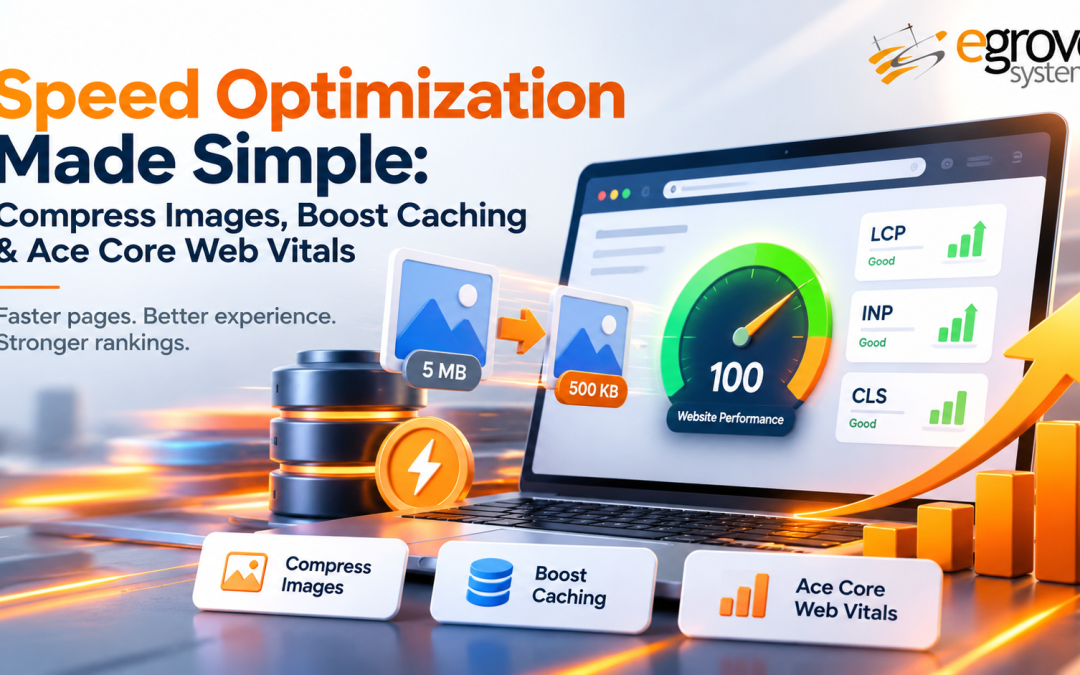
By focusing on image compression, efficient caching, and Core Web Vitals optimization, businesses can address common performance issues and create smoother browsing experiences.
What Is Website Speed Optimization?
Website speed optimization is the process of improving how quickly a website loads, displays content, and responds to user interactions.
It involves identifying performance issues and applying technical improvements that reduce unnecessary loading delays.
Common optimization techniques include:
- Compressing images without significantly affecting visual quality.
- Enabling browser caching for reusable website resources.
- Reducing unnecessary JavaScript and CSS.
- Improving server response times.
- Using a Content Delivery Network (CDN).
- Optimizing Core Web Vitals metrics.
- Removing unnecessary plugins and third-party scripts.
Each improvement contributes to a more efficient website. However, the best approach is to identify which issues are affecting performance before making changes. If your site feels underperforming rather than broken, our guide on website optimization and why a site is underoptimized, not failing, explains how to tell the difference.
1. Compress Images Without Compromising Quality
Images make websites visually engaging, but large image files can increase page loading times.
High-resolution banners, product photographs, illustrations, and background images often contribute significantly to the total data downloaded by visitors.
Image compression helps reduce file sizes while maintaining suitable visual quality.
Why Image Optimization Is Important
When a browser loads a webpage, it downloads the images required to display its content.
Larger image files generally require more data transfer, which can delay page rendering, especially on slower mobile connections.
Optimized images can help:
- Reduce page weight.
- Improve loading speed.
- Support better mobile performance.
- Reduce bandwidth usage.
- Improve Largest Contentful Paint (LCP) when the main image is a loading bottleneck.
Practical Ways to Optimize Website Images
Choose the Right Image Format
Different formats serve different purposes.
- WebP: Provides efficient compression for photographs and many website graphics.
- AVIF: Can offer smaller file sizes while maintaining good visual quality.
- JPEG: Suitable for photographs where broad compatibility is important.
- PNG: Useful for graphics requiring lossless quality or transparency.
- SVG: Suitable for scalable logos, icons, and simple illustrations.
Resize Images Before Uploading
Uploading a 3000-pixel-wide image for a 600-pixel display area can create unnecessary data transfer.
Resize images according to their intended display dimensions and provide appropriately sized versions for different devices.
Use Responsive Images
Responsive images allow browsers to select suitable image sizes based on screen dimensions and resolution.
HTML attributes such as srcset and sizes help deliver appropriately sized assets.
Enable Lazy Loading
Lazy loading delays downloading images that are outside the initial viewing area until they are needed.
However, images immediately visible when a page opens, especially the main LCP image, should generally load promptly rather than being lazy-loaded.
Key takeaway: Smaller, appropriately sized images help reduce loading delays without sacrificing the visual experience.
2. Boost Website Performance with Smart Caching
Picture an online store where a shopper opens several product pages in a row.
Without effective caching, the browser may need to download the same website resources repeatedly.
Caching reduces unnecessary requests by allowing reusable resources or generated responses to be stored temporarily.
What Is Browser Caching?
Browser caching stores website resources such as images, stylesheets, and JavaScript files on a visitor’s device.
When the visitor opens another page or returns later, the browser may reuse those resources instead of downloading them again.
This can improve repeat-visit performance and reduce network activity.
Website caching
Website caching helps improve website loading speed by temporarily storing frequently accessed content, reducing the need to reload the same resources for every visit. Effective caching minimizes server response time, improves website performance, and delivers a smoother browsing experience. By implementing proper caching techniques, businesses can enhance user experience and support overall website speed optimization.
Different Types of Website Caching
Browser Caching
Stores reusable static resources locally to reduce repeated downloads.
Server-Side Caching
Stores generated pages, database results, or application data so the server can respond more efficiently.
CDN Caching
Distributes cached website resources across geographically distributed servers. This can help users retrieve content from infrastructure closer to their location.
Best Practices for Effective Caching
- Configure appropriate Cache-Control headers.
- Use long cache durations for versioned static resources.
- Apply suitable expiration or revalidation policies.
- Use server-side caching where appropriate.
- Consider CDN caching for globally distributed audiences.
- Invalidate outdated cached resources when website content changes.
- Avoid caching sensitive or personalized information in shared public caches.
For example, a website can cache versioned logos, fonts, and stylesheets while applying more restrictive rules to account pages or personalized content.
Key takeaway: Effective caching reduces repeated work and can make website navigation smoother, particularly for returning visitors.
3. Understand and Improve Core Web Vitals
Google’s Core Web Vitals measure important aspects of real-world website experience.
These metrics help website owners understand how quickly content appears, how responsive the page feels, and whether elements move unexpectedly.
There are three primary Core Web Vitals metrics.
Largest Contentful Paint (LCP): Loading Performance
LCP measures how long it takes for the largest eligible visible content element to render. This element may be a prominent image, a heading, or another large content block.
Good LCP: 2.5 seconds or less.
Ways to improve LCP include:
- Compressing and appropriately sizing prominent images.
- Improving server response times.
- Reducing render-blocking resources.
- Prioritizing critical resources.
- Using a CDN when beneficial.
- Avoiding unnecessary lazy loading for the main image.
Improving LCP helps visitors see meaningful page content sooner.
Interaction to Next Paint (INP): Website Responsiveness
INP evaluates how quickly a webpage responds visually to user interactions such as clicks, taps, and keyboard input.
A webpage may appear fully loaded but still feel slow if the browser takes too long to respond to an action.
Good INP: 200 milliseconds or less.
Ways to improve INP include:
- Reducing excessive JavaScript execution.
- Breaking up long-running browser tasks.
- Minimizing unnecessary third-party scripts.
- Optimizing event handlers.
- Reducing complex rendering and layout operations.
Better responsiveness makes interactions feel more immediate.
Cumulative Layout Shift (CLS): Visual Stability
CLS measures unexpected movement of visible page elements.
For example, a user may try to click a button, but a banner suddenly appears and pushes the button downward.
Good CLS: 0.1 or less.
Ways to improve CLS include:
- Defining image and video dimensions.
- Reserving space for advertisements and embedded content.
- Preventing unexpected content insertion.
- Using appropriate font-loading techniques.
- Avoiding animations that unnecessarily trigger layout changes.
A visually stable website helps visitors navigate more comfortably.
Core Web Vitals Performance Benchmarks
| Metric | Good Performance | Needs Improvement | Poor Performance |
| Largest Contentful Paint (LCP) | ≤ 2.5 seconds | > 2.5 to ≤ 4 seconds | > 4 seconds |
| Interaction to Next Paint (INP) | ≤ 200 ms | > 200 to ≤ 500 ms | > 500 ms |
| Cumulative Layout Shift (CLS) | ≤ 0.1 | > 0.1 to ≤ 0.25 | > 0.25 |
Did you know? Core Web Vitals thresholds are assessed using real-user experience data at the 75th percentile. In other words, a page is considered “good” for a metric only when at least 75% of visits meet the threshold.
Understanding these metrics makes it easier to prioritize the performance issues that affect visitors.
4. Reduce Unnecessary JavaScript and CSS
Images are not the only resources that influence loading speed.
Excessive JavaScript and CSS can delay page rendering and make interactions less responsive.
Websites often accumulate unnecessary code through themes, plugins, tracking tools, animations, and third-party integrations.
How to Improve Code Efficiency
Minify CSS and JavaScript
Remove unnecessary whitespace and other characters that do not affect how the code functions.
Remove Unused Code
Review stylesheets and scripts to identify resources that are no longer required.
Defer Non-Critical JavaScript
Allow important page content to render without waiting for scripts that are not immediately necessary.
Reduce Third-Party Scripts
Evaluate whether each analytics tool, widget, or external integration is necessary and whether it affects performance.
Optimize Critical CSS
Prioritize the styling needed to display the initial page content.
These improvements can reduce loading overhead and make the website more responsive.
5. Improve Server Response Time
A website’s hosting environment also influences how quickly visitors receive content.
If the server takes too long to respond, even a well-optimized webpage may experience loading delays.
Time to First Byte (TTFB) is a useful diagnostic metric for understanding the delay before the browser receives the first byte of the response.
Ways to Improve Server Performance
- Choose reliable hosting suitable for website traffic.
- Optimize database queries.
- Reduce unnecessary server-side processing.
- Implement appropriate server-side caching.
- Keep application software and dependencies updated.
- Monitor server resource usage.
- Evaluate CDN or edge delivery options.
Server optimization is particularly important for dynamic websites, large e-commerce stores, and applications that process frequent user requests.
6. Test Website Speed with the Right Tools
Website optimization works best when improvements are based on measurable performance data. Several tools help identify loading issues and evaluate Core Web Vitals.
Google Page Speed Insights
Page Speed Insights analyzes website performance on mobile and desktop devices. It provides available real-user experience data, laboratory diagnostics, and recommendations for improving performance.
Google Search Console
Google Search Console provides Core Web Vitals reports that help website owners identify groups of URLs with performance issues. These reports can support ongoing monitoring and prioritization.
Chrome DevTools
Chrome DevTools helps developers investigate network requests, JavaScript execution, rendering delays, and other performance bottlenecks.
Testing should include representative pages, mobile devices, and real-user data whenever available.
7. Create a Simple Website Speed Optimization Checklist
A structured checklist makes it easier to improve website performance consistently.
Step 1: Measure Current Performance
Check important pages using a website performance analysis tool. Record loading metrics, responsiveness, layout stability, and major diagnostic findings.
Step 2: Identify Large Images
Review oversized or unnecessarily heavy images. Compress, resize, and replace them with suitable formats.
Step 3: Review Caching Settings
Check whether static resources are cached appropriately. Configure browser and server caching based on the type of content being delivered.
Step 4: Optimize Website Resources
Review JavaScript, CSS, fonts, and third-party integrations. Remove unnecessary resources and prioritize content required for the initial page view.
Step 5: Fix Core Web Vitals Issues
Focus on the metrics that need improvement. For example:
- High LCP: Investigate server delays, hero images, and render-blocking resources.
- High INP: Investigate long JavaScript tasks and slow interaction handlers.
- High CLS: Investigate images without dimensions and dynamically inserted elements.
Step 6: Test Again and Monitor Results
Compare performance results after implementing improvements. Remember that real-user Core Web Vitals reports may take time to reflect changes because they use a rolling measurement window.
Regular monitoring helps detect performance regressions as website content and functionality change.
Website speed optimization also requires regular maintenance to prevent new performance issues from affecting users. Businesses can explore DIY vs. professional website maintenance to understand which approach best supports ongoing monitoring, technical updates, and website performance.
Common Website Speed Optimization Mistakes to Avoid
Even well-intentioned optimization efforts can create problems when changes are applied without testing.
Compressing Images Too Aggressively
Excessive compression can reduce visual quality and make product images or important graphics difficult to interpret.
Lazy-Loading Every Image
Lazy-loading prominent above-the-fold images can delay important content and negatively affect LCP.
Ignoring Mobile Performance
A website may perform well on a desktop connection but load slowly on mobile devices with limited processing power or network speed.
Using Too Many Optimization Plugins
Additional plugins can introduce scripts, processing overhead, or conflicting settings.
Ignoring Caching Rules
Poorly configured caching can cause visitors to see outdated content or interfere with dynamic website functions.
Focusing Only on a Performance Score
A laboratory score is useful for diagnosis, but it does not replace real-user Core Web Vitals data.
The goal should be to deliver a consistently good experience rather than simply achieve a perfect test score. If speed problems point to a larger rebuild, our 12-step website redesign guide shows how to build performance into the process.
How Website Speed Optimization Supports SEO
Website performance and search engine optimization are closely connected.
Google uses Core Web Vitals as part of its ranking systems, but good scores alone do not guarantee higher rankings. Relevant content, search intent, site accessibility, and other SEO considerations also remain important.
However, technical performance improvements can support a better user experience. A faster, more responsive website may help visitors:
- Access information with fewer delays.
- Explore multiple pages more comfortably.
- Interact with forms and navigation more easily.
- Complete purchases or inquiries with fewer interruptions.
- Use the website more effectively across devices.
For businesses, these improvements create a stronger foundation for both usability and search visibility. To see how performance fits into the wider technical layer, read why technical SEO and website performance matter more than ever in the AI search era.
For online retailers, website speed supports more than a smooth browsing experience. It also helps visitors access product information and educational content without unnecessary delays. Our guide to turning e-commerce blog content into traffic, trust, and sales explains how content strategy, search optimization, and website usability work together.
Where a Website Auditing Tool Can Help
Manual testing is valuable, but reviewing every page by hand becomes difficult as a website grows. A site auditing platform such as Elite Site Optimizer (ESO) can support the process by reviewing performance alongside broader technical SEO concerns, helping teams identify issues and organize their improvement efforts.
Tools work best as a supporting layer. Sound development practices, regular testing, and real-user data should still guide your decisions.
Conclusion: Build a Faster Website One Improvement at a Time
Website speed optimization becomes more manageable when businesses focus on the factors that have the greatest impact.
Image compression reduces unnecessary data transfer. Effective caching limits repeated downloads and server work. Core Web Vitals provide measurable insights into loading speed, responsiveness, and visual stability.
The most effective approach is to measure performance, identify bottlenecks, implement targeted improvements, and keep monitoring results. Treat performance as part of regular website maintenance rather than a one-time task.
At eGrove Systems, we help businesses build fast, scalable, and search-ready digital experiences through web and mobile commerce development, technical SEO and digital marketing, and performance optimization. Whether you are planning a redesign or fixing a slow site, our team can help you find the gaps and close them.
Want to find out what’s slowing down your website? Talk to the eGrove Systems team →