

By Daniel Carter, Senior CMS Developer & Solution Architect at eGrove Systems
Quick Question.
If someone gave you five different cars to drive, would you declare a winner after driving each for five minutes?
Probably not.
The same applies to Content Management Systems (CMS).
After spending more than a decade building websites for startups, enterprises, healthcare organizations, educational institutions, manufacturers, retailers, and eCommerce businesses, we’ve worked extensively with almost every major CMS platform. At eGrove Systems, we’ve implemented CMS solutions ranging from simple corporate websites to enterprise-grade digital experiences with CRM integrations, multilingual capabilities, and custom workflows.
One question clients ask repeatedly is the following:
“Which CMS is actually the best?”
The honest answer?
It depends on what you’re building.
To help business owners make an informed decision, we compared five of today’s most popular content management systems based on real-world development experience, not marketing brochures.
Let’s dive in.
What Is a Content Management System?
📌 Information Box
A content management system (CMS) is software that enables businesses to create, edit, organize, and publish website content without having to write code for every change. Modern CMS platforms also provide user management, media libraries, SEO tools, plugins, security features, and workflow automation, making website management faster and more efficient.
The Five CMS Platforms We Tested
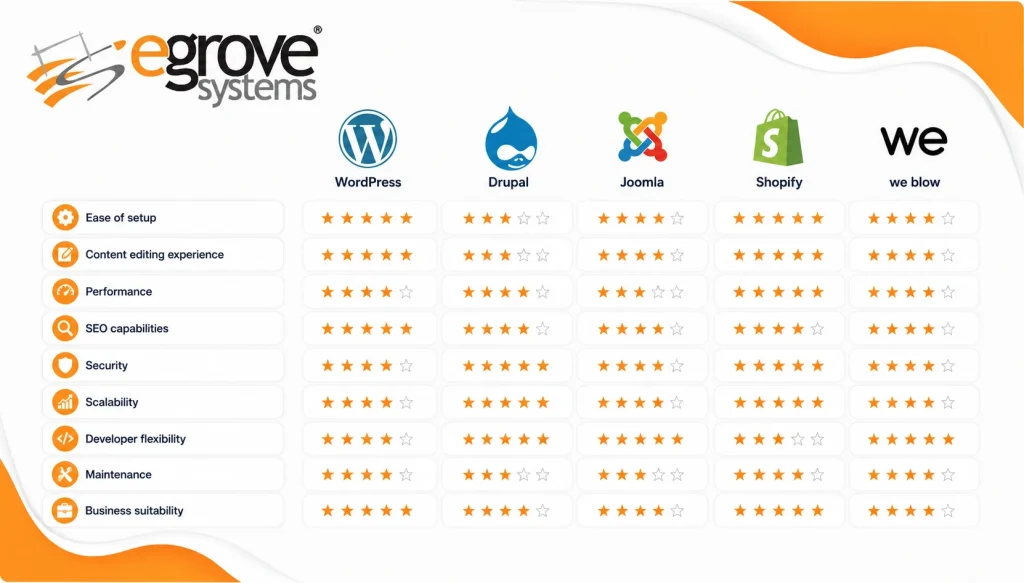
For this comparison, we evaluated the following:
- WordPress
- Drupal
- Joomla
- Shopify
- We blow
Each platform was tested using similar criteria:
- Ease of setup
- Content editing experience
- Performance
- SEO capabilities
- Security
- Scalability
- Developer flexibility
- Maintenance
- Business suitability
1. WordPress: The All-Round Champion
First Impression
WordPress remains the platform we recommend most frequently.
There’s a reason it powers the majority of CMS-based websites worldwide; it balances simplicity with flexibility.
Whether you’re launching:
- Corporate websites
- Blogs
- Service businesses
- Educational portals
- Healthcare websites
- WooCommerce stores
WordPress can handle it.
What We Loved
✅ Extremely easy for clients to manage
✅ Massive plugin ecosystem
✅ Excellent SEO capabilities
✅ Thousands of professional themes
✅ Affordable development costs
✅ Huge developer community
Downsides
Not every plugin follows best practices.
Poor-quality plugins can affect the following:
- Website speed
- Security
- Compatibility
Choosing experienced developers is essential.
Developer Rating
| Category | Rating |
| Ease of Use | ⭐⭐⭐⭐⭐ |
| SEO | ⭐⭐⭐⭐⭐ |
| Flexibility | ⭐⭐⭐⭐⭐ |
| Security | ⭐⭐⭐⭐☆ |
| Enterprise Ready | ⭐⭐⭐⭐☆ |
2. Drupal: Built for Complex Enterprises
Drupal isn’t designed for beginners.
But if you’re managing,
- Government websites
- Universities
- Healthcare systems
- Large organizations
- Multi-department portals
It’s one of the strongest platforms available.
At eGrove Systems, Drupal is often selected for organizations that require advanced content workflows, permissions, scalability, and enterprise-grade architecture.
What Stands Out
- Advanced user permissions
- Highly secure architecture
- Exceptional scalability
- Structured content management
- Multilingual support
Challenges
Learning Drupal takes time.
Content editors often need training before becoming comfortable with the interface.
Development costs are also higher compared to WordPress.
Developer Rating
| Category | Rating |
| Ease of Use | ⭐⭐⭐☆☆ |
| SEO | ⭐⭐⭐⭐☆ |
| Security | ⭐⭐⭐⭐⭐ |
| Scalability | ⭐⭐⭐⭐⭐ |
| Enterprise Features | ⭐⭐⭐⭐⭐ |
3. Joomla: A Balanced Middle Ground
Joomla once dominated the CMS landscape.
Today, it’s less common, but it still has strengths.
Joomla offers more built-in functionality than WordPress while being easier to learn than Drupal.
Best For
- Membership websites
- Community portals
- Medium-sized business websites
Pros
- Good permission controls
- Flexible content management
- Strong multilingual capabilities
Cons
- Smaller extension marketplace
- Few modern themes
- Limited community compared to WordPress
Developer Rating
| Category | Rating |
| Ease of Use | ⭐⭐⭐⭐⭐ |
| SEO | ⭐⭐⭐⭐⭐ |
| Flexibility | ⭐⭐⭐⭐⭐ |
| Security | ⭐⭐⭐⭐☆ |
| Enterprise Ready | ⭐⭐⭐⭐☆ |
4. Shopify: The eCommerce Specialist
If your only goal is selling products online…
Shopify deserves serious consideration.
Unlike traditional CMS platforms, Shopify focuses almost entirely on eCommerce.
You don’t worry about:
- Hosting
- Security patches
- Server maintenance
Everything is managed for you.
Perfect For
- Online retailers
- DTC brands
- Fashion stores
- Beauty brands
- Consumer products
Advantages
- Fast setup
- Excellent checkout experience
- Reliable hosting
- Secure payment ecosystem
- Mobile optimized
Limitations
Customization has boundaries.
Complex business requirements may require custom applications.
Monthly subscription costs also increase as your business grows.
Developer Rating
| Category | Rating |
| Ease of Use | ⭐⭐⭐⭐⭐ |
| eCommerce | ⭐⭐⭐⭐⭐ |
| Customization | ⭐⭐⭐⭐☆ |
| SEO | ⭐⭐⭐⭐☆ |
| Enterprise Flexibility | ⭐⭐⭐☆☆ |
5. Webflow: A Designer’s Dream
Webflow surprised me.
It’s one of the best visual website builders available today.
Designers love it because it gives them almost pixel-perfect control without writing extensive code.
Ideal For
- Marketing websites
- Landing pages
- Startup Websites
- Portfolio sites
Strengths
- Beautiful visual editor
- Clean code output
- Excellent animations
- Fast hosting
weaknesses
Webflow’s large enterprise websites can become difficult to manage.
Complex integrations usually require developer support.
Developer Rating
| Category | Rating |
| Design Freedom | ⭐⭐⭐⭐⭐ |
| Ease of Editing | ⭐⭐⭐⭐☆ |
| Scalability | ⭐⭐⭐☆☆ |
| SEO | ⭐⭐⭐⭐☆ |
| Business Websites | ⭐⭐⭐⭐☆ |
Which CMS Was Fastest?
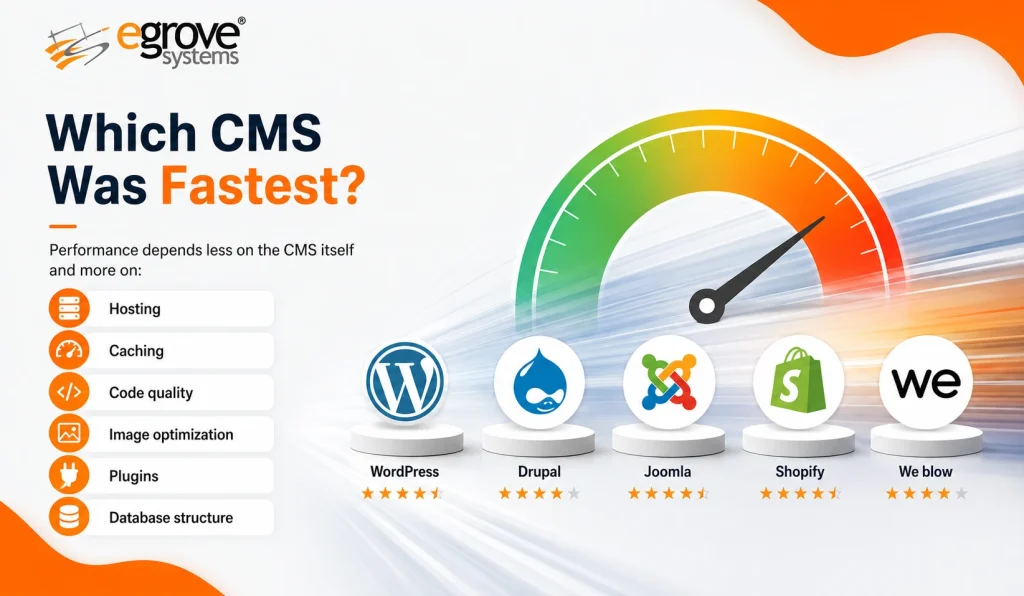
Performance depends less on the CMS itself and more on:
- Hosting
- Caching
- Code quality
- Image optimization
- Plugins
- Database structure
A poorly built WordPress site can be slower than a well-optimized Drupal implementation.
Likewise, an overloaded Shopify store can underperform, even if it is hosted on a robust infrastructure.
The platform is just one part of the overall picture.
Which CMS Is Best for SEO?
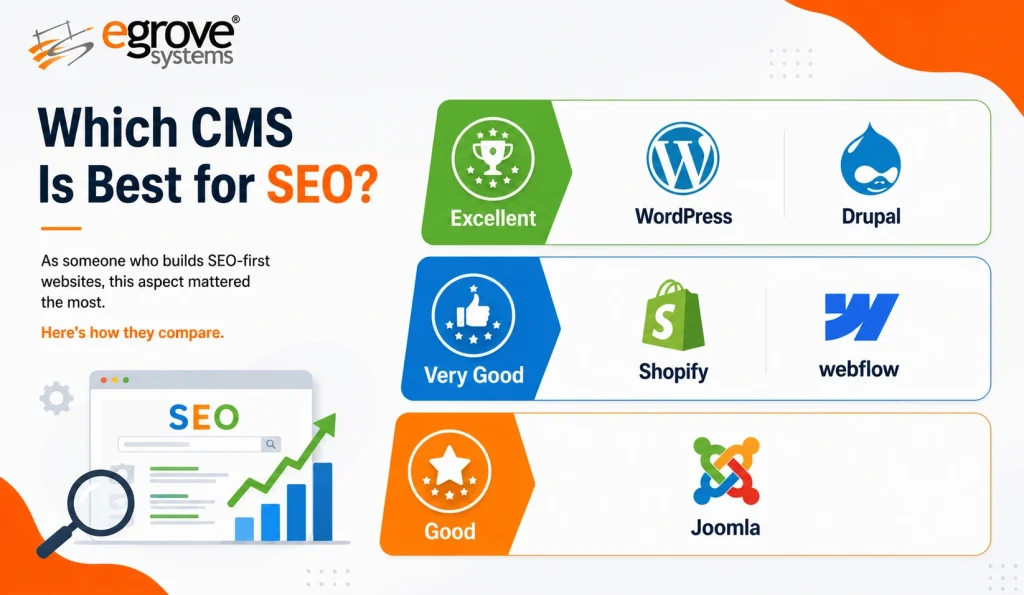
As someone who builds SEO-first websites, this aspect mattered the most.
Here’s how they compare.
Excellent
- WordPress
- Drupal
Very Good
- Shopify
- webflow
Good
- Joomla
All five platforms can rank well when implemented correctly, but WordPress offers the widest range of mature SEO plugins and optimization options, while Drupal provides strong technical SEO capabilities for complex websites.
Security Comparison
Website security isn’t determined by the CMS alone. It depends on several factors, including:
- Regular software updates
- Hosting environment
- User permissions and access controls
- Plugin or extension quality
- Secure development practices
- Ongoing maintenance and monitoring
Based on our internal evaluation of common CMS platforms across security architecture, default security features, update management, ecosystem maturity, and operational maintenance requirements (not a controlled penetration test), our general ranking is:
🥇 Drupal
🥈 Shopify
🥉 WordPress
4️⃣ Joomla
5️⃣ Webflow
Methodology: This ranking reflects our technical assessment of each platform’s built-in security capabilities, patching model, extension ecosystem, hosting model, and maintenance complexity. It is intended as general guidance rather than an absolute measure of security for every website.
Key takeaway:
Most websites are compromised not because of the CMS they use, but because of outdated software, weak passwords, vulnerable plugins, poor hosting practices, or inadequate maintenance.
Maintenance Experience
Here’s how much maintenance each platform generally requires.
| CMS | Maintenance |
| Shopify | Very Low |
| webflow | Low |
| WordPress | Moderate |
| Joomla | Moderate |
| Drupal | Higher |
Which CMS Would We Choose?
This is the question everyone asks.
Here’s my answer.
If we are building a company Website
✅ WordPress
If we are building a government portal
✅ Drupal
If we are launching an online store
✅ Shopify
If we are creating a marketing Website
✅ webflow
If We need flexible community features
✅ Joomla
My Biggest Lesson After Testing Five CMS Platforms
No CMS is perfect.
Every platform excels in different situations.
The mistake many businesses make is asking the following:
“Which CMS is the best?”
Instead, ask:
“Which CMS is best for my business goals?”
That single question changes everything.
How We Help Businesses Choose the Right CMS
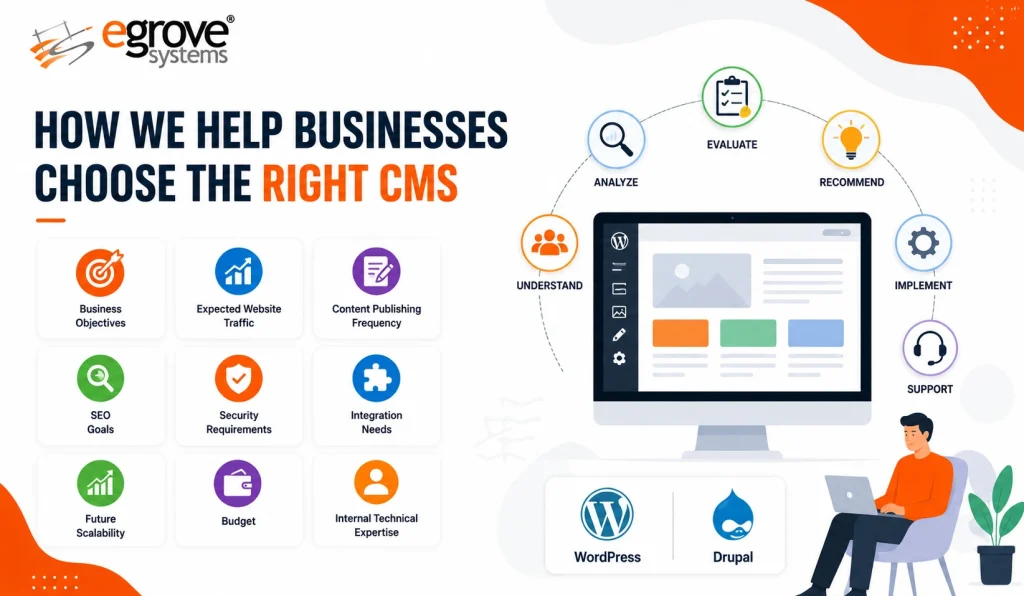
At eGrove Systems, we don’t recommend a platform simply because it’s popular.
Instead, we evaluate the following:
- Business objectives
- Expected website traffic
- Content publishing frequency
- SEO goals
- Security requirements
- Integration needs
- Future scalability
- Budget
- Internal technical expertise
Based on these factors, we design and develop tailored CMS solutions using platforms such as WordPress and Drupal, along with migration, integration, and ongoing support services.
Final Verdict
If we had to recommend just one CMS for most businesses today…
🥇 WordPress still offers the best overall combination of flexibility, ease of use, SEO, affordability, and scalability.
However:
- Choose Drupal for enterprise and government projects.
- Choose Shopify if eCommerce is your primary focus.
- Choose Webflow for design-led marketing websites.
- Choose Joomla when you need stronger built-in content management than basic CMS platforms.
The best CMS isn’t the one with the most features.
It’s the one that helps your business grow without becoming difficult to manage.